 AIPromptary
Once your giffgaff SIM arrives in the mail, you need to activate it on giffgaff's website before you can use it. It's a single end-to-end register-and-top-up flow that takes about 5–10 minutes. Below is a step-by-step walkthrough that mirrors the actual screens.
What you'll need
- The giffgaff SIM you received (the activation code is printed on the back)
- An email address you can check immediately
- A credit / debit card that works internationally (minimum £10 top-up required)
- A UK address (required for billing / shipping details)
Step 1: Open the activation page and enter your code
Visit giffgaff's official activation page: https://www.giffgaff.com/activate
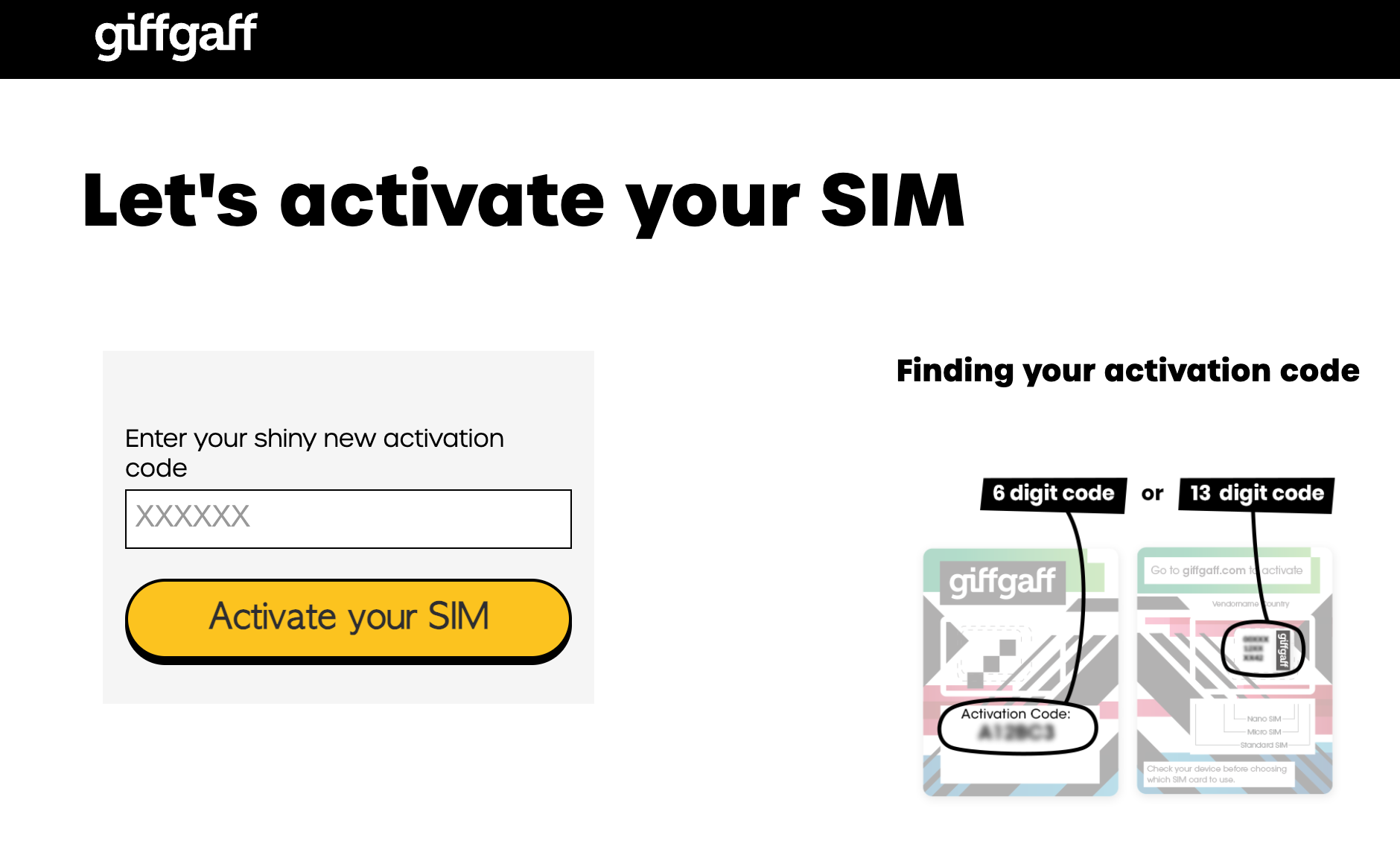
The page reads "Let's activate your SIM". The activation code is printed on the back of your SIM card — depending on the version, it's either a 6-digit or 13-digit alphanumeric code. Type it into the input on the left and click Activate your SIM.
Step 2: Enter your email address
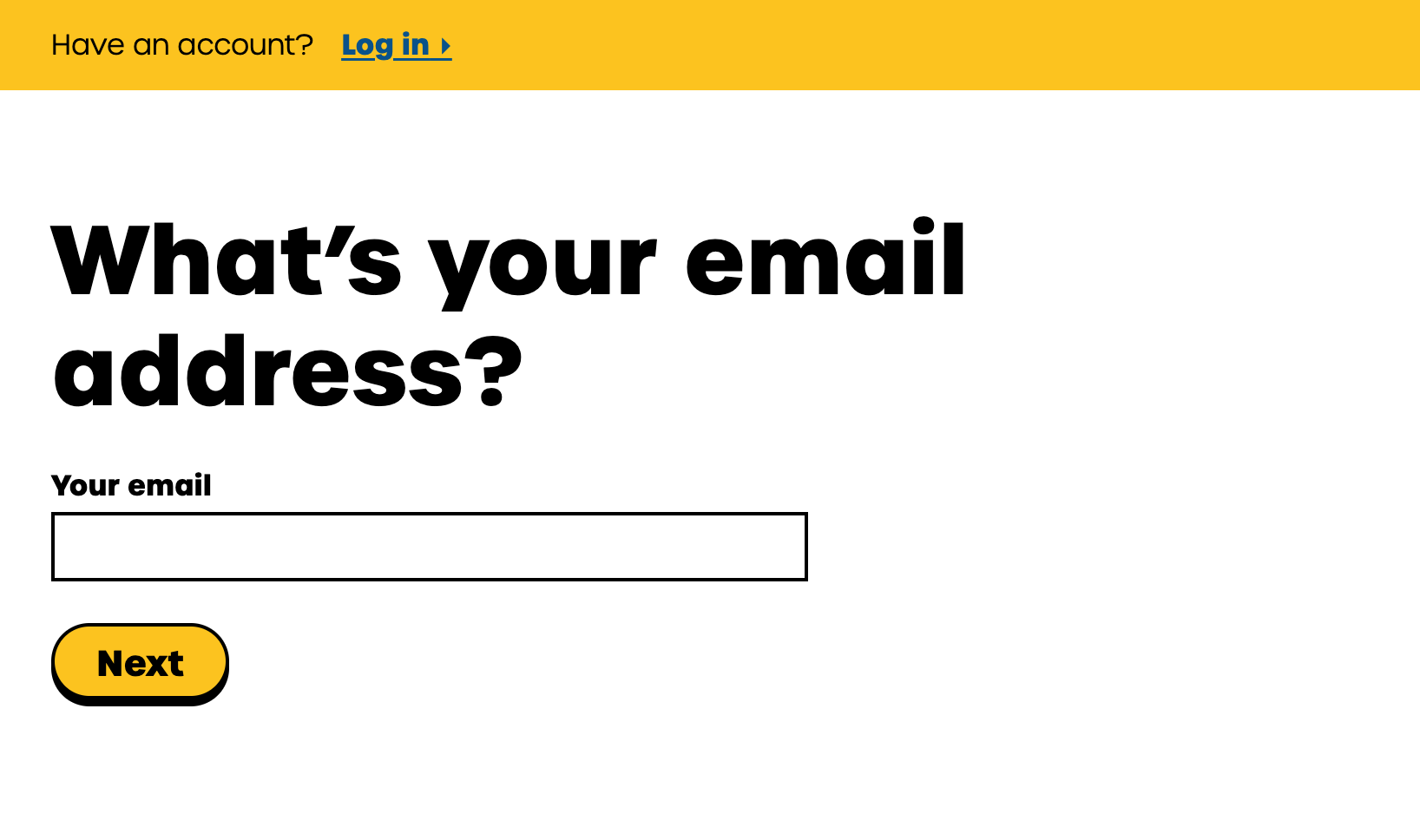
You're now in the registration flow. The first screen asks "What's your email address?" — if you already have a giffgaff account, click Log in in the yellow bar at the top. New users type in an email you check often and click Next.
Step 3: Verify your email
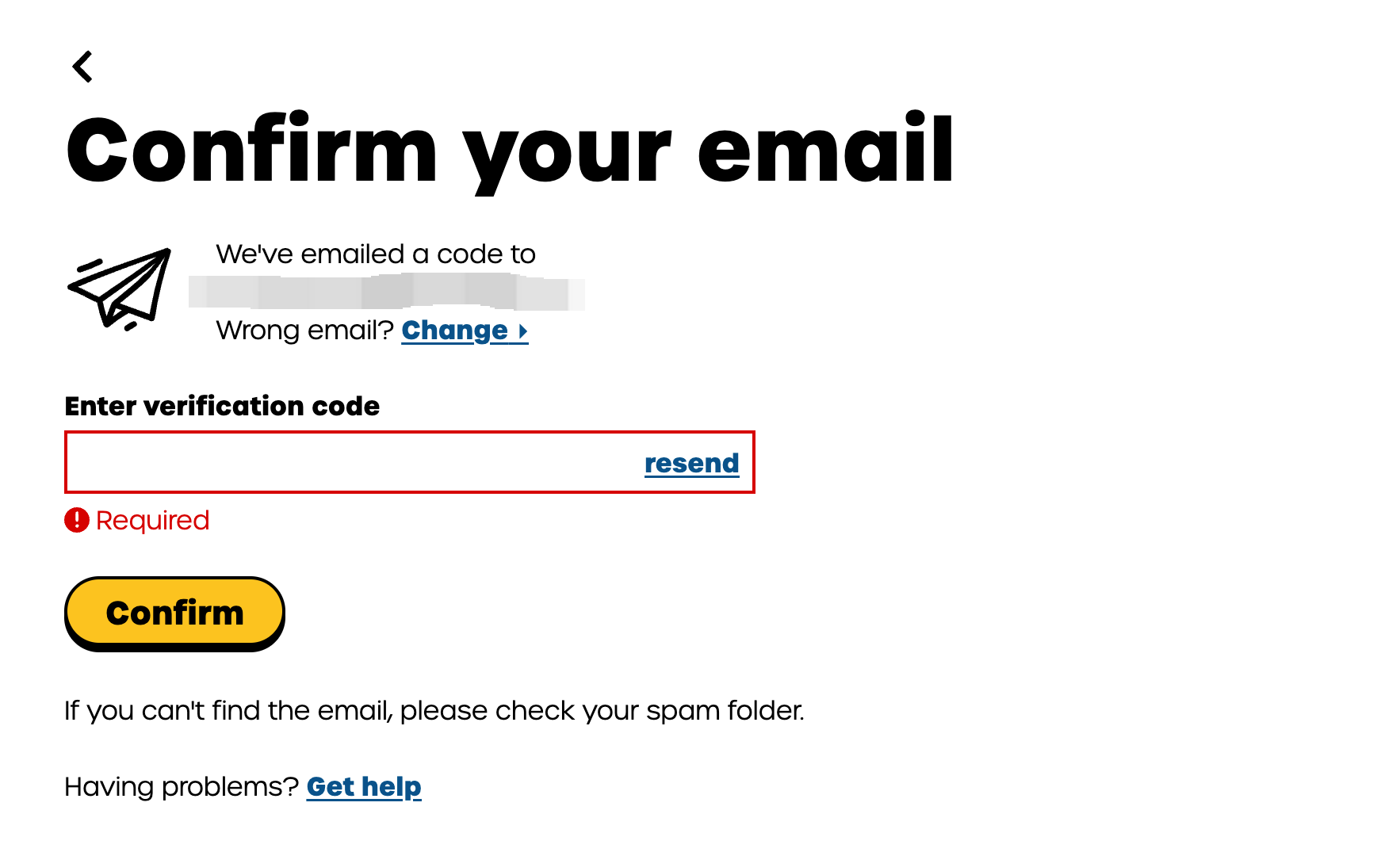
giffgaff immediately emails you a verification code ("Confirm your email"). Open the email (check your spam folder if you can't find it), copy the code into the input field, and click Confirm.
If nothing arrives after a few minutes, click resend to the right of the input.
Step 4: Create a password
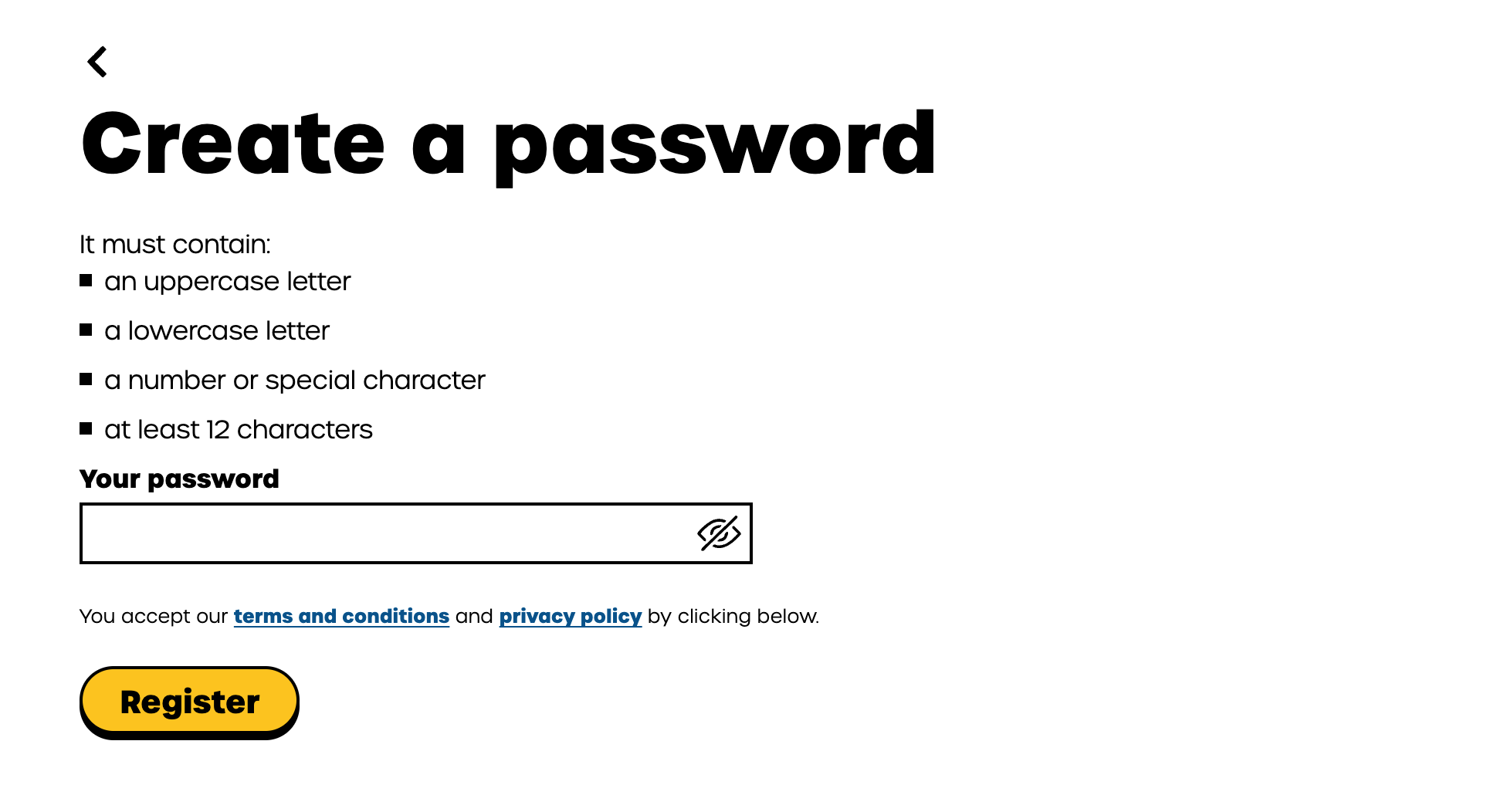
Next is the password screen ("Create a password"). giffgaff's password rules are strict:
- At least 1 uppercase letter
- At least 1 lowercase letter
- At least 1 number or special character
- At least 12 characters long
Once all four conditions are green, click Register.
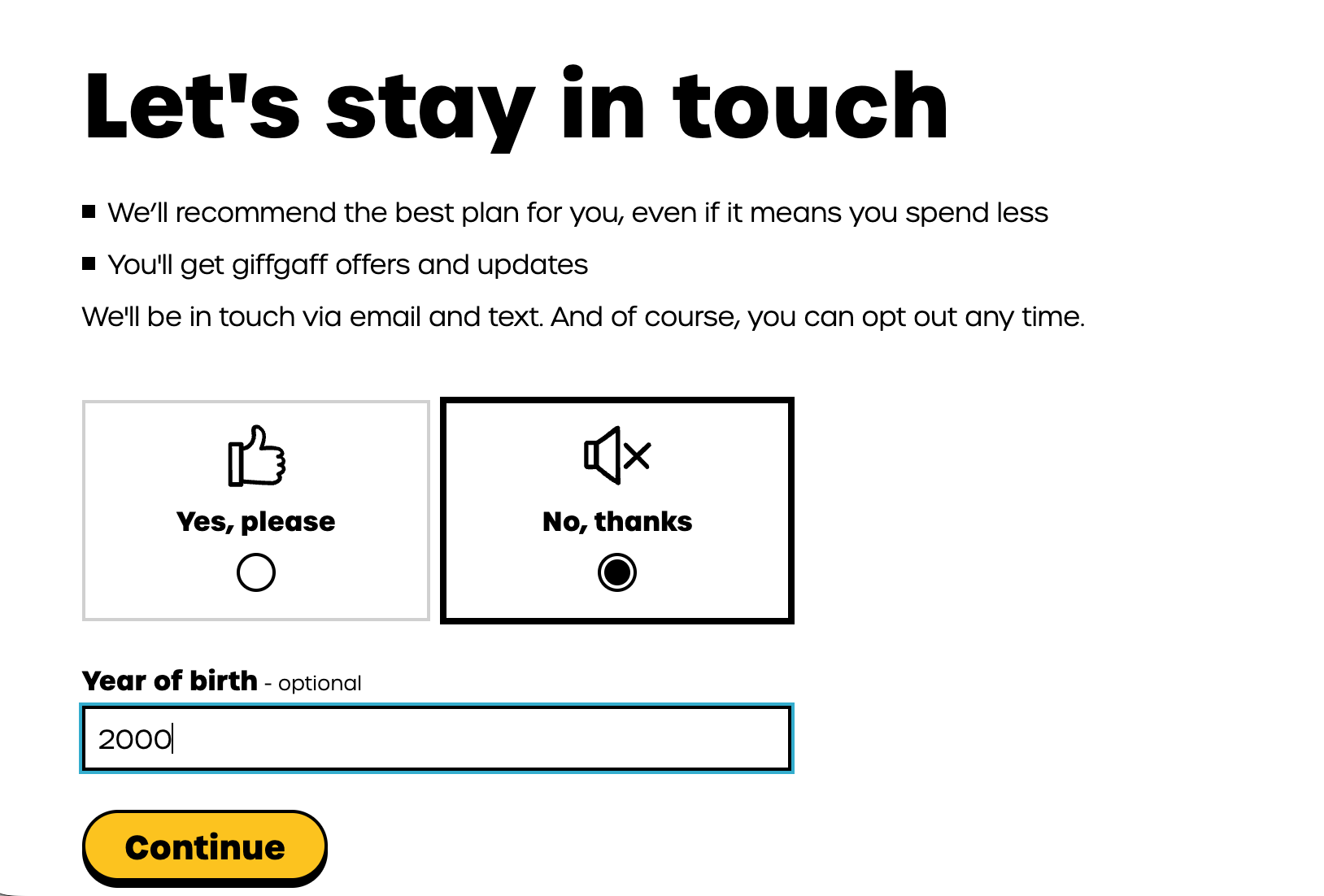
Step 5: Marketing opt-in + birth year
Now you'll see "Let's stay in touch". giffgaff asks whether you want plan recommendations and offers by email and text — pick "No, thanks" if you'd rather not be marketed at. Below that is an optional Year of birth field. Fill in if you want, then click Continue.
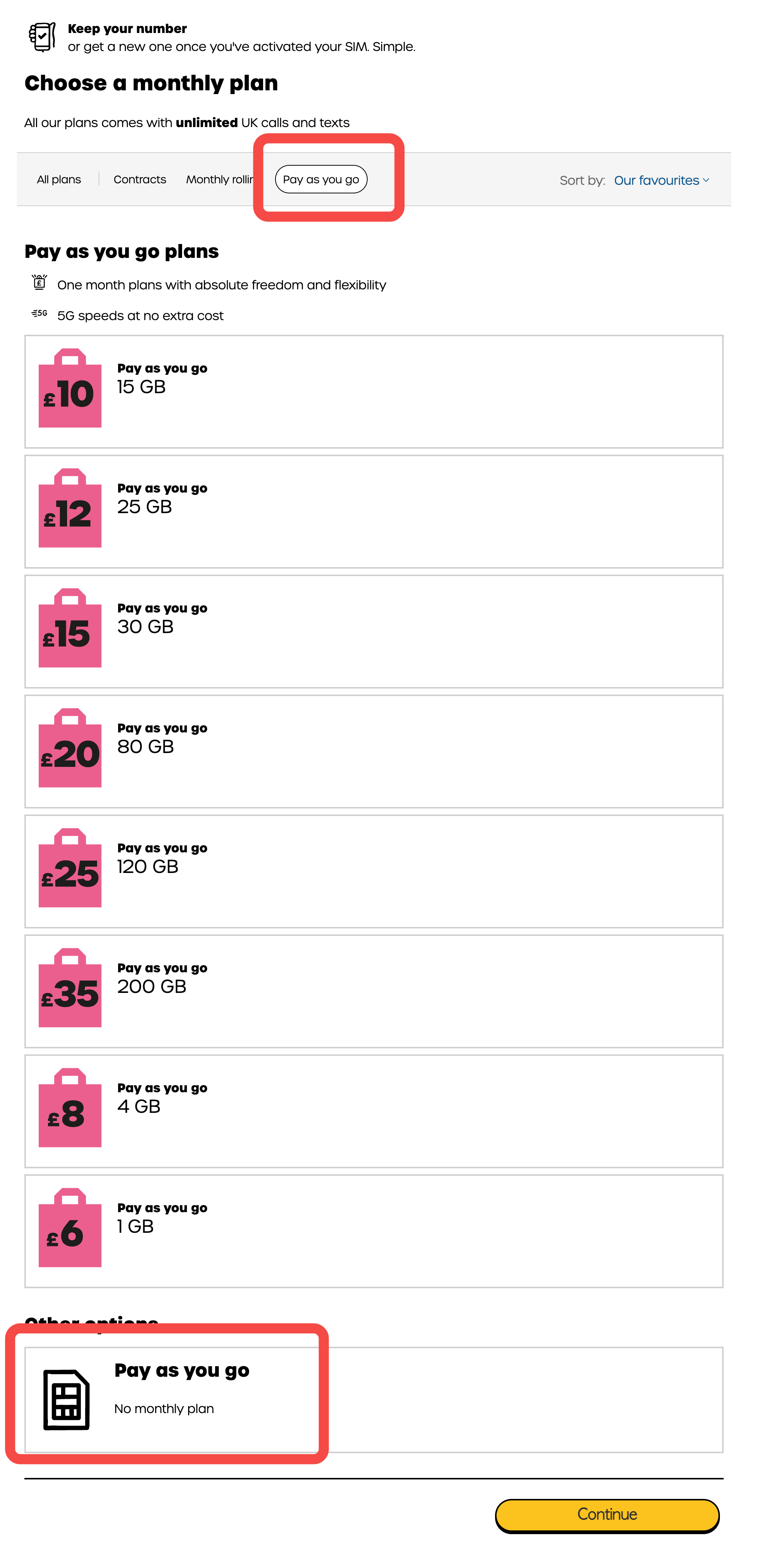
Step 6: Choose a plan — pick "Pay as you go"
You'll land on "Choose a monthly plan". Don't pick any of the monthly plans at the top of the page.
Scroll all the way down to the "Other options" section, where there's an easy-to-miss tile: "Pay as you go" / No monthly plan. Select it and click Continue.
Why PAYG: no monthly commitment, balance is deducted by usage, no contract lock-in. Best for short-term, backup, or low-data use.
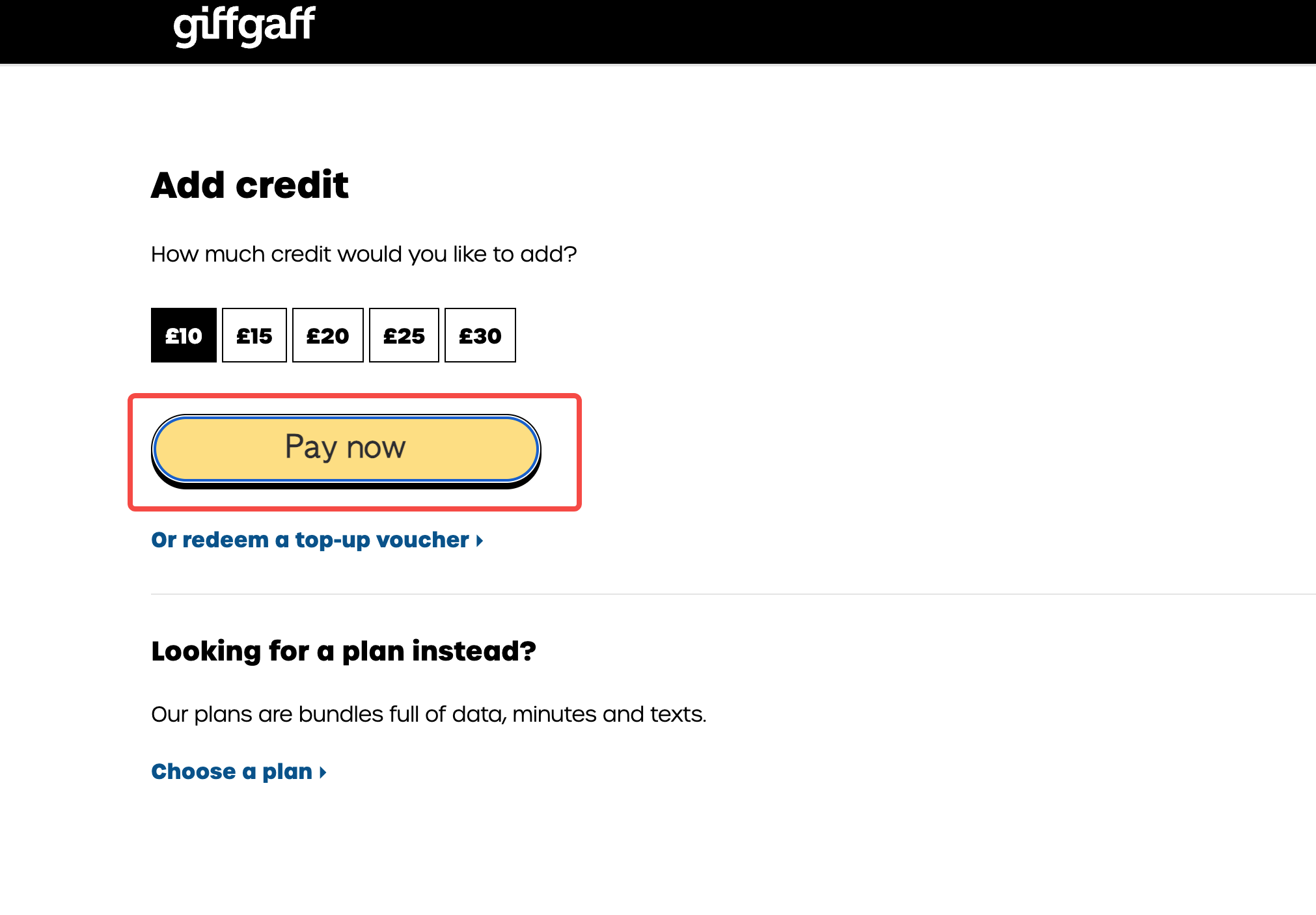
Step 7: Top up £10
Next is the "Add credit" page with five tiers: £10 / £15 / £20 / £25 / £30. Pick the cheapest £10 option (this is the minimum required to activate), then click Pay now.
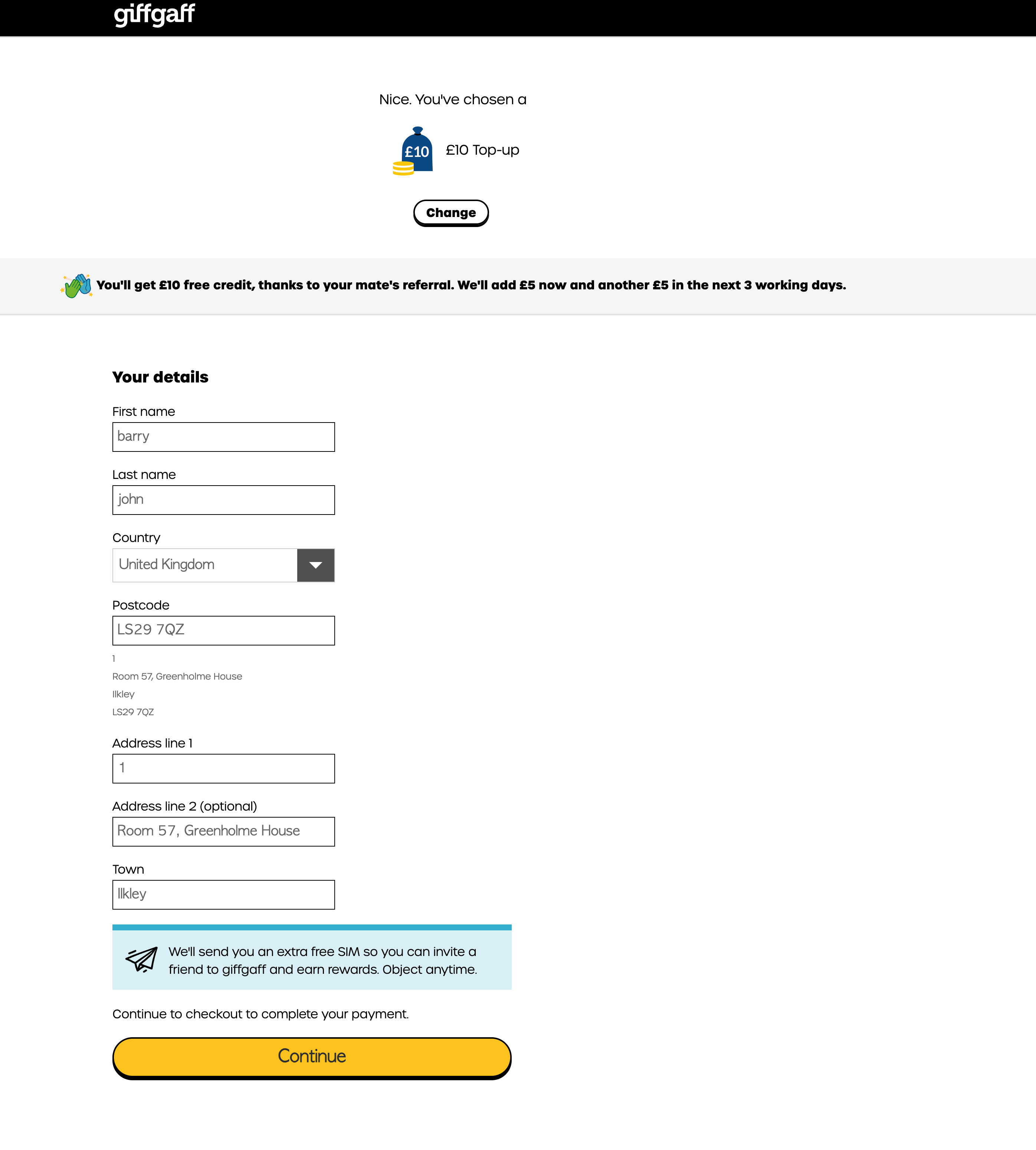
Step 8: Fill in your details and address
After confirming the £10 top-up, fill in your personal details (Your details):
- First name / Last name
- Country: United Kingdom
- Postcode: your UK postcode (the system auto-suggests addresses)
- Address line 1 / Address line 2: street address
- Town
Shortcut: type any digit into the Postcode field, then pick any address from the dropdown that appears — the system will autofill Address line 1 / 2 and Town for you. Then click Continue to move on.
Step 9: Enter card details and pay
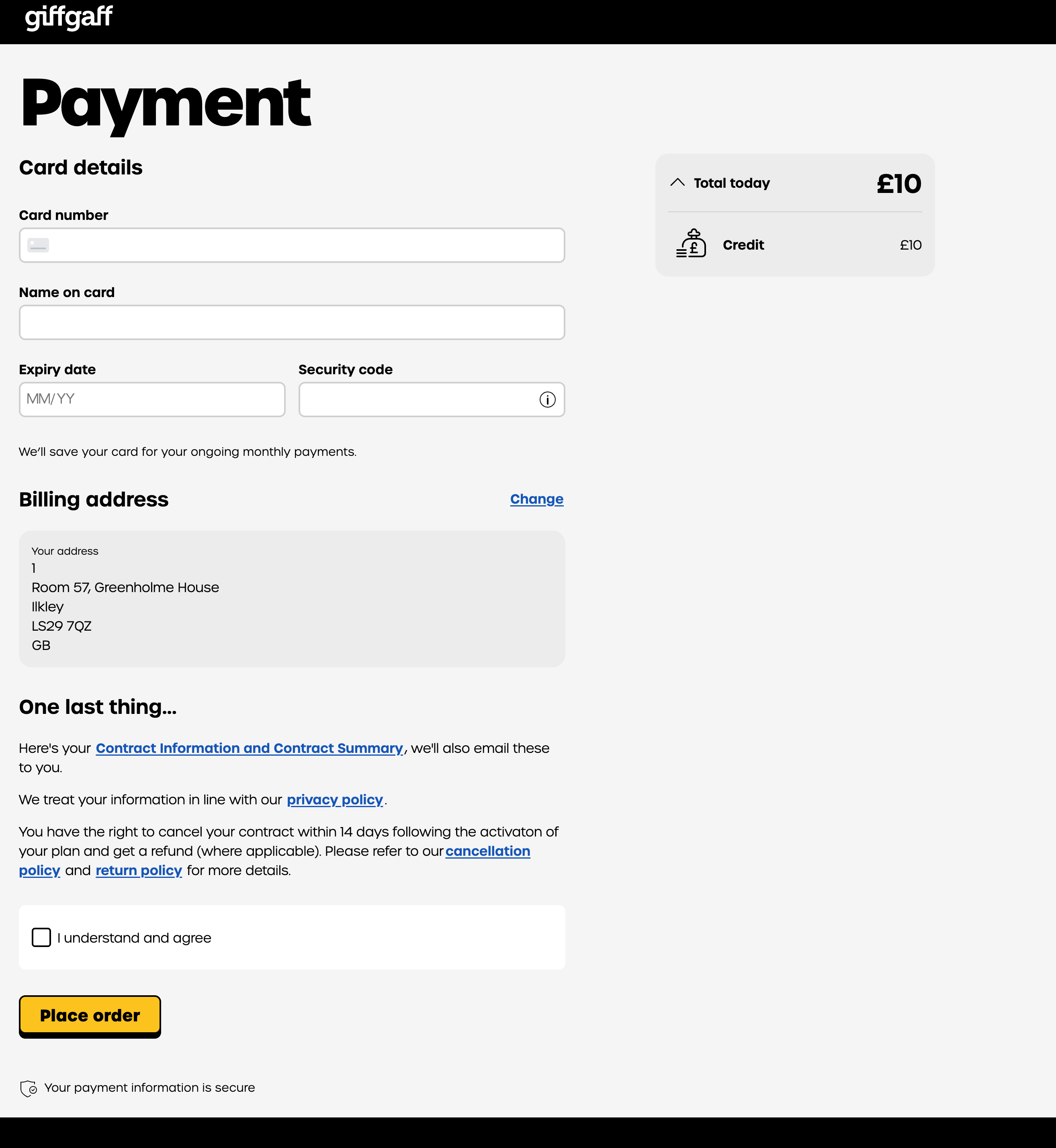
The final screen is "Payment":
- Card number: your credit/debit card number
- Name on card: as printed on the card
- Expiry date: MM/YY
- Security code: the 3-digit CVV on the back
The total is £10. Confirm your billing address below, tick "I understand and agree" to accept the contract terms, then click Place order to finish.
After payment
Payment success means the activation flow is done. giffgaff usually activates your SIM within a few minutes up to half an hour. Pop the SIM into your phone and wait for it to pick up signal — you'll see either "giffgaff" or "O2" in the carrier name (giffgaff runs on O2's network).
Important: Turn off "Allow Cellular Data Switching"
If your phone has dual SIMs (for example, an iPhone with both a domestic carrier and giffgaff), make sure to turn off "Allow Cellular Data Switching". Otherwise the system might silently switch to giffgaff whenever your primary signal is weak — burning through your PAYG balance without you noticing.
Path on iPhone: Settings → Cellular → Cellular Data → Allow Cellular Data Switching → Off
FAQ
Q: Where is the activation code? On the back of the SIM card — either 6 digits or 13 digits of letters and numbers depending on your SIM version. Don't confuse it with the PIN.
Q: Do I have to top up £10? Can I skip it? giffgaff requires a minimum £10 top-up to activate. The money stays in your account as PAYG balance — it doesn't disappear.
Q: Can I pay with a non-UK credit card? Most Visa / Mastercard cards from outside the UK work. If one fails, try another, or use a virtual card service.
Q: What if I don't have a UK address? If you have a friend or flatmate in the UK, use their address. Otherwise a school or work address works too.
Q: How long until the SIM is usable after activation? Typically a few minutes up to half an hour. After that the SIM picks up signal and is ready to use.
This tutorial is based on the current version of giffgaff's registration screens. If the site changes, defer to the official giffgaff activation page.